
Setting Up a Points-Based Punch Card Audiences
Overview
This Digital Punchcard set up allows you to configure a promotion based on loyalty points, making it more exciting than ever for your customers to earn points.
Step 1: Set Up Audiences
In your AlpineIQ dashboard, you'll create a separate audience for each punch in your punchcard, including two additional for the eligible and redeemed customer segments.
For example, if you're running a 5-punch card, you'll create 7 distinct audiences.
Begin with your ‘Eligible’ audience, this is all customers you would like eligible for the punch card promotion. See the example below for sample parameters, where every 100 points earns a punch.
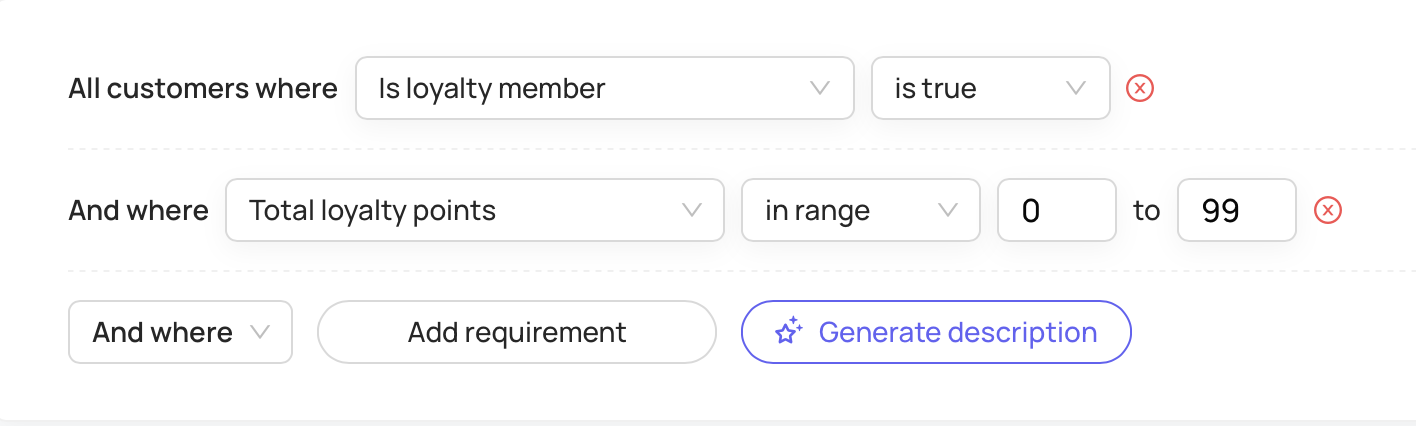
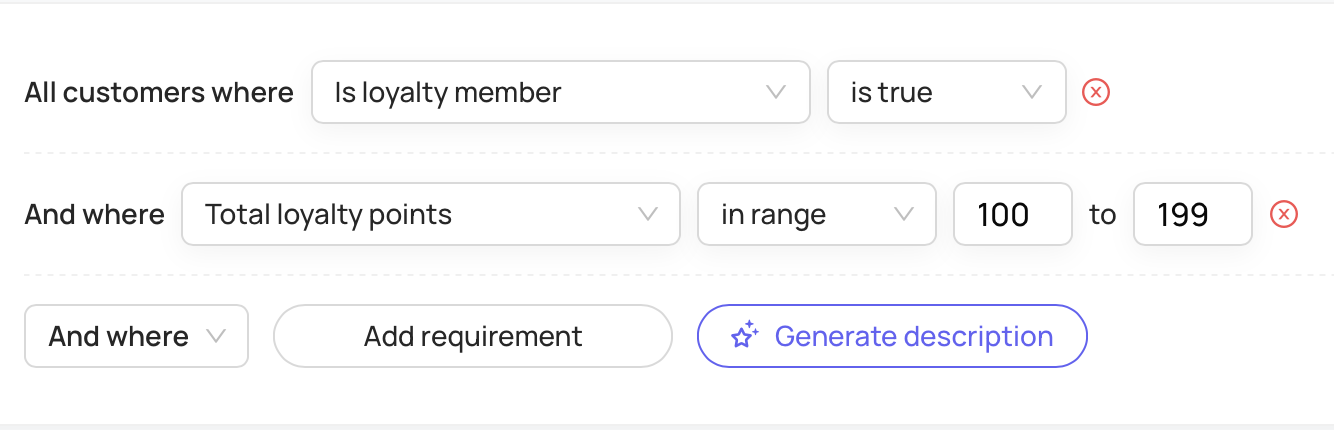
While in this example, punches are earned by each 100 points earned, you can customize your promotion according to your store’s loyalty system. Just keep in mind that the punches should be consistent.
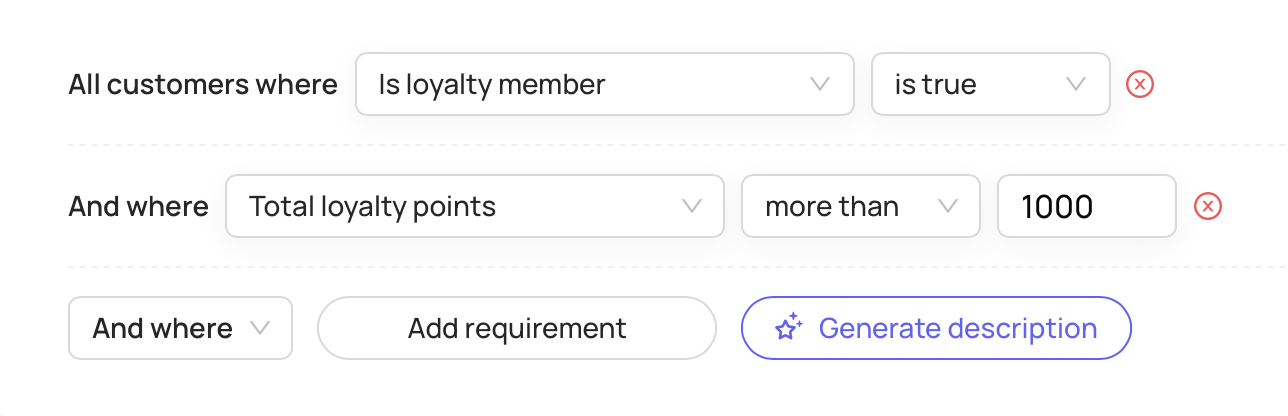
For the final punch audience, where the customer is now eligible for the discount/reward, change the parameters for ‘Total loyalty points’ from ‘in range’ to ‘more than’ with the desired goal.
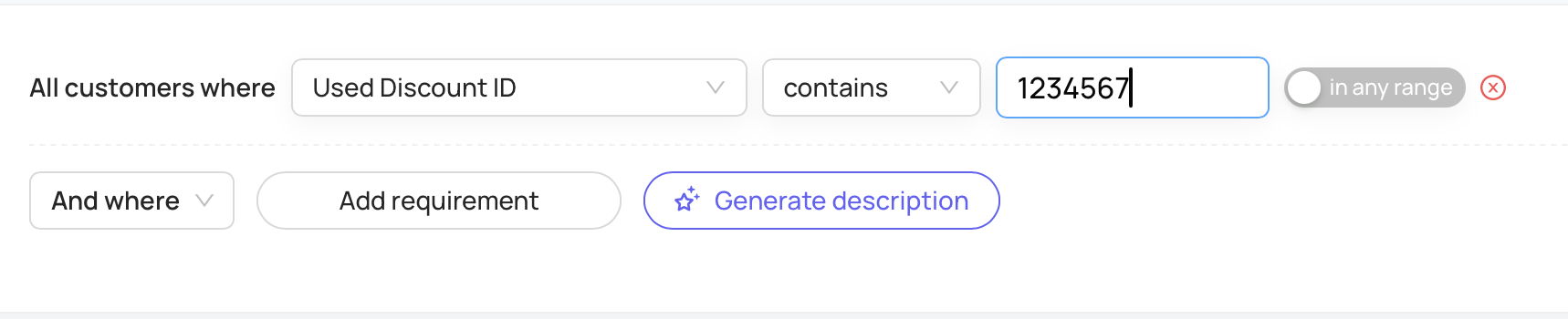
Finally, create a ‘Redeemed’ audience that contains customers who have used the discount associated with the punch card. This will ensure that once the customers use the discount associated with the promotion, the punch card will disappear from the rewards wallet.
Still need help?
Our support team is here for you.