
Invite DopeTech to Your Google Developer Account
- Go to https://play.google.com/console and sign into the Google Developer Account
- Navigate to "Users and Permissions" section on the left-hand side
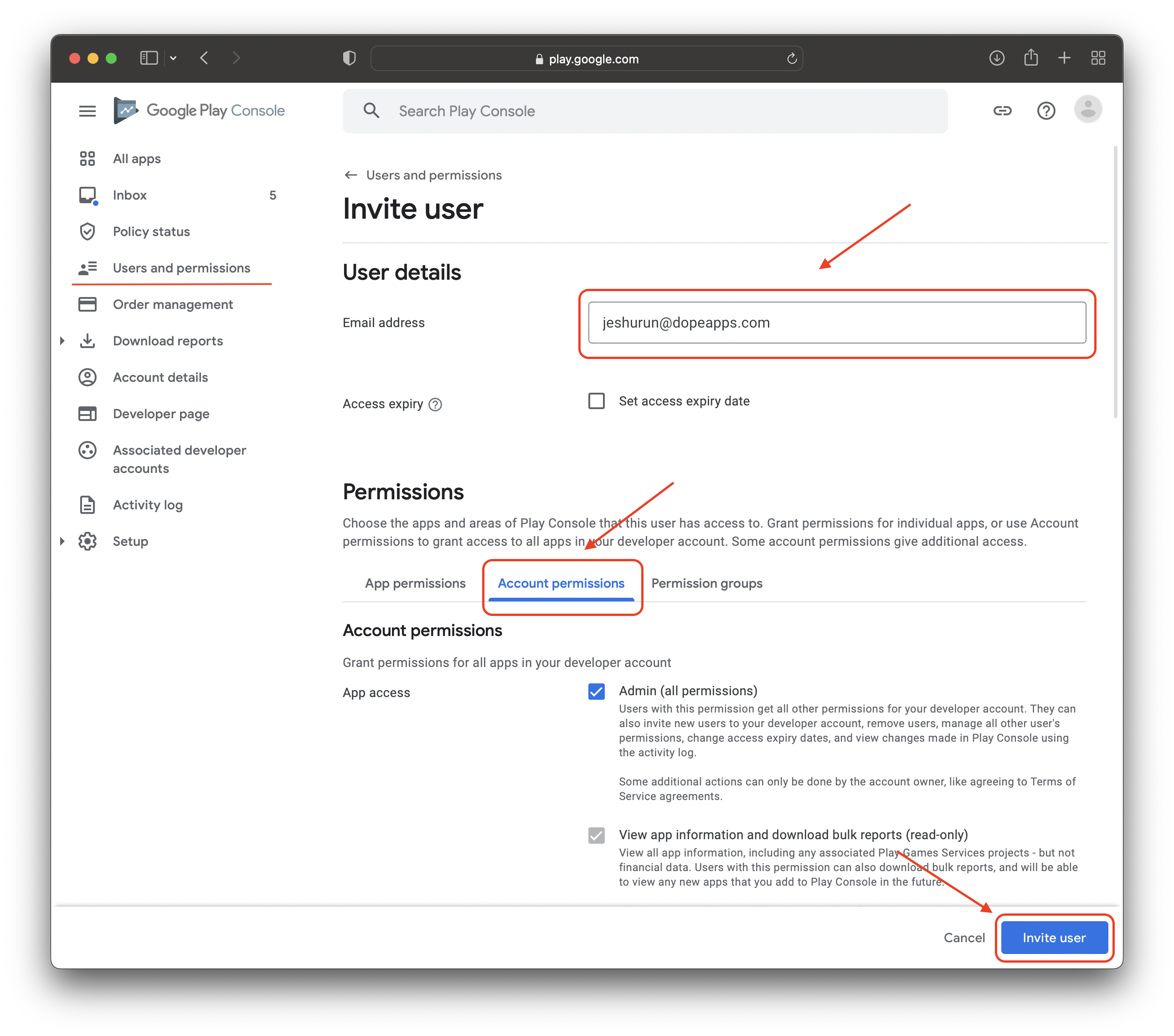
- In the “Email address” section, type in:
[email protected] - Click on “Account Permissions” and check the box that says “Admin (all permissions)”
- Hit the “Invite User” button at the bottom right-hand side of the page and then send us a message to confirm and we will accept it on our end!
Note: Please make sure that you have verified your website and phone number for your Google Developer account. Without this verification, we will not be able to publish your app to Google Play.
Was this helpful?
Still need help?
Our support team is here for you.