
How To Access API Keys For App Store Connect
Navigate to https://appstoreconnect.apple.com/access/api and sign into your apple developer account. Click the “Users and Access” tab at the top.
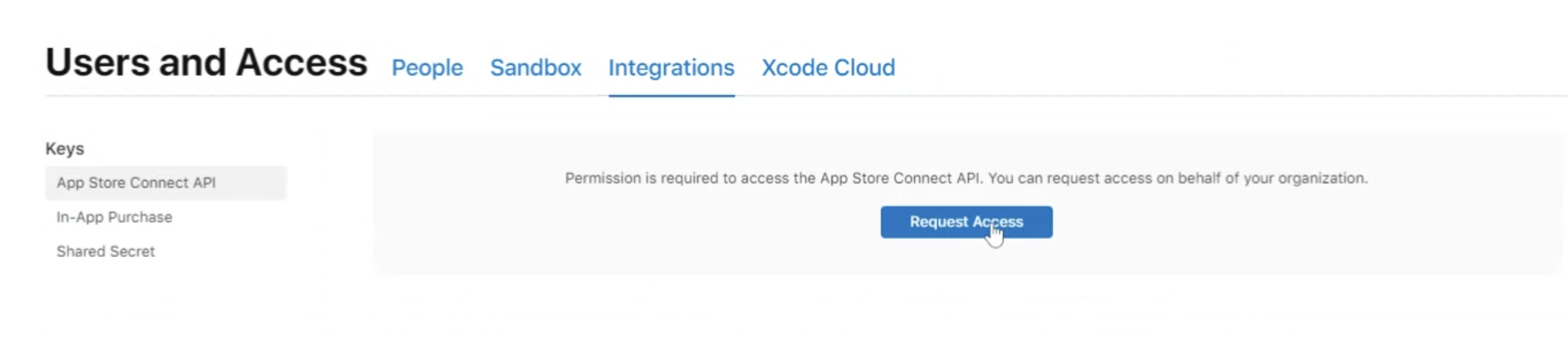
Go to “Integrations”, and select “App Store Connect API” on the left hand side, and then click “Request Access”.
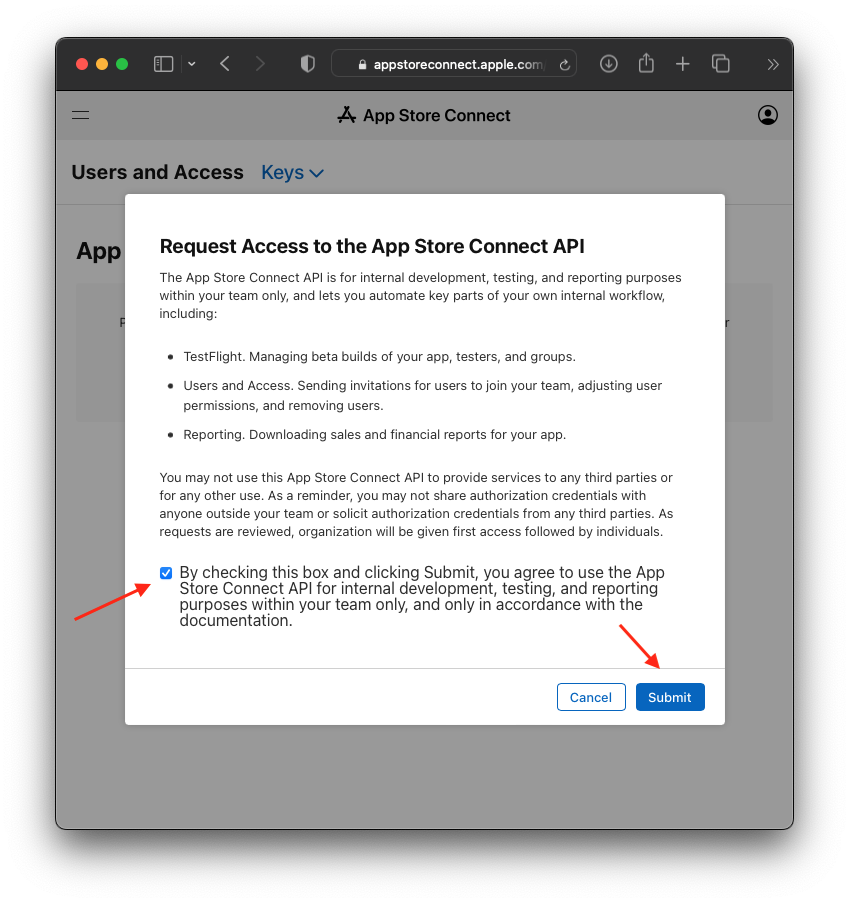
Check the box and hit “Submit” (see image below)
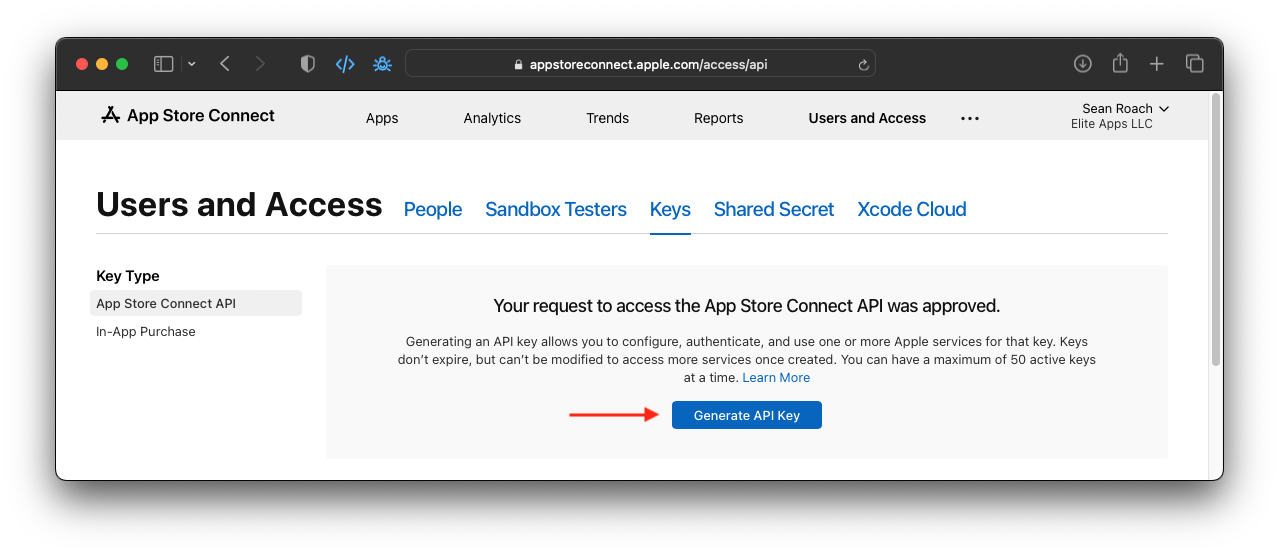
- Make sure to click on “App Store Connect API” section on the left and then Click the button that says “Generate API Key”
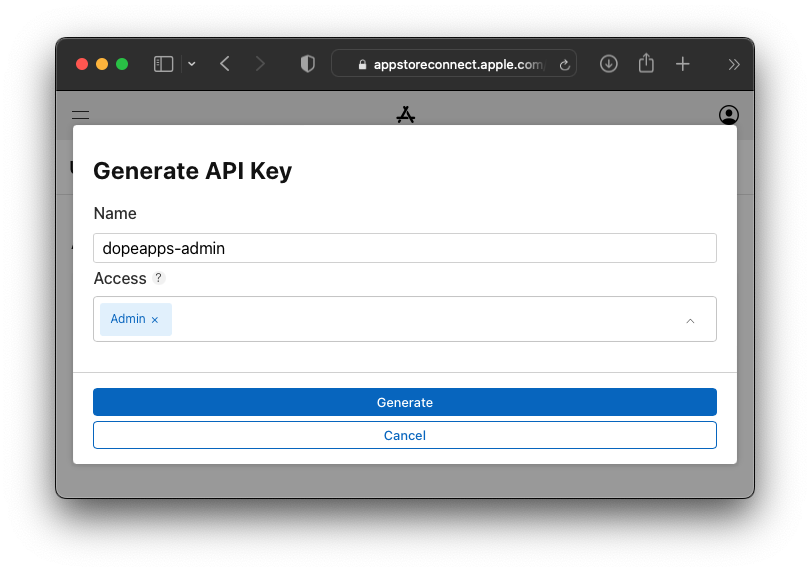
- Fill-in the sections as shown:
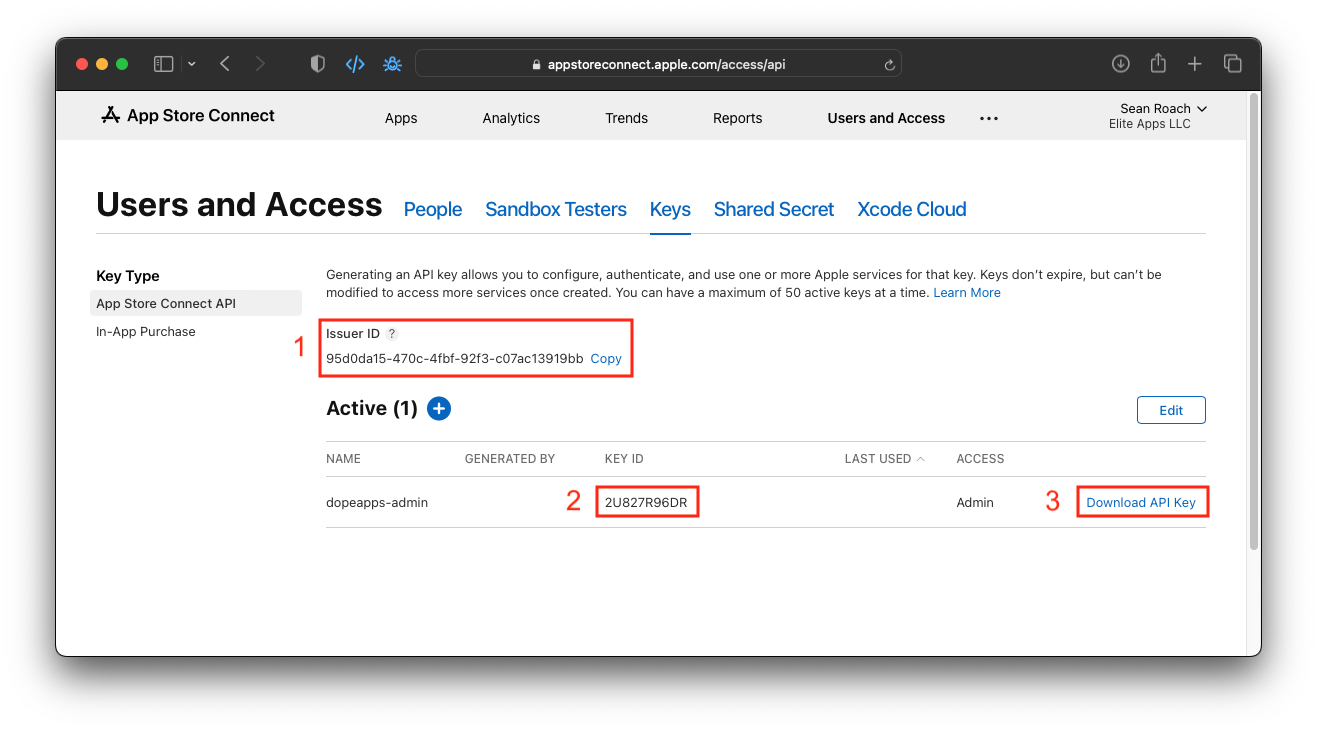
- Collect these 3 items and email them to us:
- Issuer ID
- Key ID
- API Key (download file)
Was this helpful?
Still need help?
Our support team is here for you.